Your Minecraft server, by the hour and with no subscription.
Spin up a dedicated Minecraft Java server in minutes, play with friends, then shut it down: you only pay for the hours you play. Vanilla, Paper, Fabric, Forge or a Modrinth/CurseForge modpack: your world is saved between sessions.
Ready in minutes · stop in 1 click · €0 when off · 🎁 first hour of play free
Why a Minecraft server with TickServ
Vanilla, Paper, Fabric, Forge/NeoForge or modpack (Modrinth/CurseForge link)
Your world saved automatically and restored on the next start
Automatic shutdown when nobody is playing: €0 when the server is off
More RAM for large modpacks: pick 8 or 16 GB
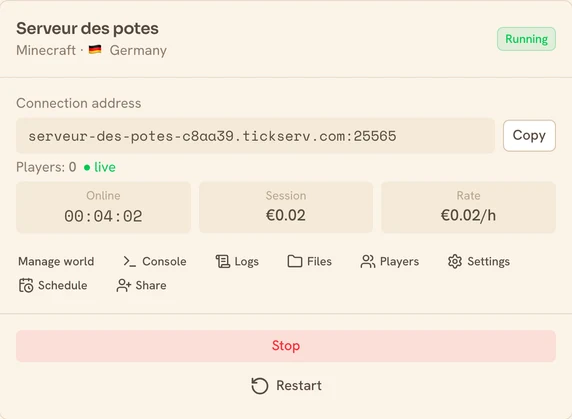
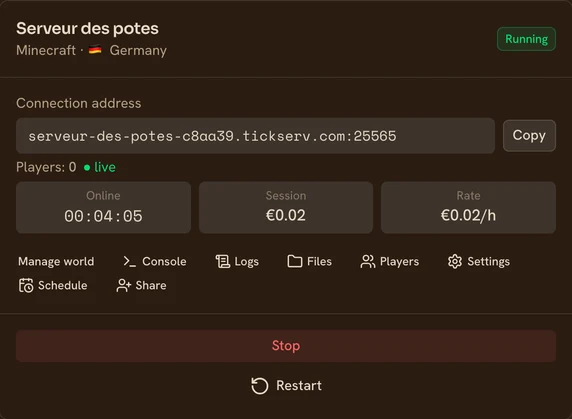
Minecraft pricing
Billed by the started hour, based on RAM and performance. Server off = €0.
| Performance | vCPU | RAM | Price / hour |
|---|---|---|---|
Eco shared vCPU | 2 | 4 GB | €0.02/h |
Eco shared vCPU | 4 | 8 GB | €0.03/h |
Eco shared vCPU | 8 | 16 GB | €0.06/h |
Eco shared vCPU | 16 | 32 GB | €0.10/h |
Dedicated CPU dedicated vCPU | 2 | 8 GB | €0.10/h |
Dedicated CPU dedicated vCPU | 2 | 16 GB | €0.13/h |
Dedicated CPU dedicated vCPU | 4 | 32 GB | €0.26/h |
Prices incl. VAT. You choose RAM and performance at creation. No subscription.
Launch your Minecraft server in 4 steps
Choose your setup
Pick Minecraft, the RAM and the performance level. Server ready in a few minutes.
Start in one click
Launch the server: you get a stable connection address to share.
Play with friends
Share the address and play together. Your progress is saved automatically.
Shut down when you're done
Stop in one click, or auto-shutdown when nobody plays. Server off = €0.
How much RAM for Minecraft?
A rough guide based on your game. When in doubt, start small: you can change tier whenever you want.
| Your game | Recommended RAM |
|---|---|
| Up to 5 players, no mods | 4 GB |
| Up to 10 players, no mods | 8 GB |
| Up to 20 players, no mods | 16 GB |
| Up to 10 players, with a few mods | 8 GB |
| Up to 20 players, with a few mods | 16 GB |
| Up to 10 players, with heavy mods | 16 GB |
| Up to 20 players, with heavy mods | 32 GB |
You can change RAM at any time, without losing your save. Ballpark figures, surveyed in September 2026.
Where your Minecraft server runs
You pick the country when you create the server. Which countries are available depends on the performance level.
| Performance | Available countries |
|---|---|
| Eco (shared vCPU) | 🇩🇪 Germany · 🇫🇷 France · 🇫🇮 Finland · 🇳🇱 Netherlands · 🇷🇴 Romania |
| Dedicated CPU (dedicated vCPU) | 🇩🇪 Germany · 🇫🇷 France · 🇬🇧 United Kingdom · 🇺🇸 🇨🇦 Canada — North America (East — New York, Chicago, Montreal) · 🇵🇱 Poland · 🇮🇹 Italy |
TickServ is operated by GONOTECH, a French company. If the provider is out of capacity in the country you picked, the fallback stays on the same continent.
Frequently asked questions
Can I install a modpack?
Yes: paste a Modrinth or CurseForge link at creation. We recommend 8 GB+ of RAM for a modpack.
Can my friends join me?
Yes, you get a stable connection address as soon as the server starts; share it with your friends.
Is my world kept?
Yes, for free: it's saved before every shutdown and restored in the next session.
Can my friends on Bedrock (console, mobile, Windows) join?
Not as-is: the server is Minecraft Java, and crossplay needs a bridge (Geyser/Floodgate) that we don't provide and don't support. We do leave the Bedrock port 19132/UDP open though: if you install the bridge yourself through the file manager, it will be reachable. Mind the Java compatibility — the Java version follows the Minecraft version you pick, and recent Geyser builds require a recent one.
Minecraft guides
How to install a Minecraft modpack on your server
Modrinth or CurseForge, the loader you don’t have to pick, the real JVM heap per tier, and why the first boot takes twenty minutes.
Free Minecraft server: is it actually possible?
Yes, it is — three ways, and what each really costs. The arithmetic behind the limits, and when free is genuinely the right answer.
Hosting a Minecraft server: what are your options?
At home, on a VPS or with an hourly host: the real cost of all three (electricity and VPS prices included), and which one fits your rhythm.
Cobblemon server: requirements, RAM, port and how to host one
Cobblemon has no official server. You need Fabric, Java 21 or newer, the pack on both sides, your server's IP and port — and the real JVM heap per tier.
How to run an All the Mods (ATM) server
500 mods: why the 8 GB tier isn’t enough, when it’s the CPU and not the RAM, and the three classic ways an ATM server fails.
How to transfer a Minecraft world to your server
What you actually have to grab (the Nether gets forgotten), the three accepted archive shapes, and the two mistakes that give an empty map.
Minecraft news
Minecraft server won’t start because of a mod? We now tell you which one
An archive left zipped, a Fabric mod on a Forge server, a mod made for your own game: we now flag them when you upload, and name the culprit when a start fails.
Your modpack no longer changes version while you sleep
A customer’s server jumped from All the Mods 8.0 to 8.1 on its own, overnight. Their friends could no longer join. Here is why, and what we changed.
Official Minecraft references: official sitededicated-server documentation